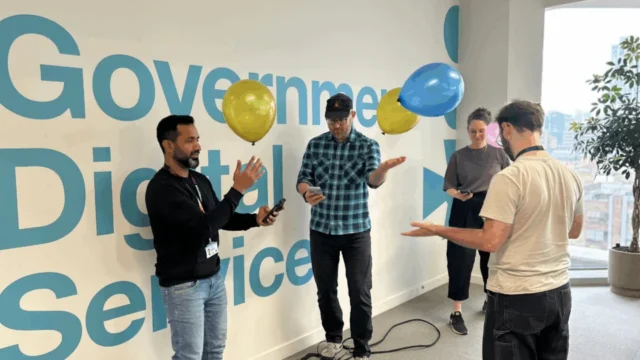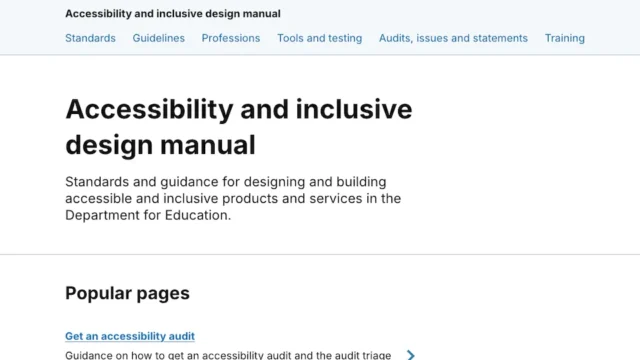
The Government Digital Service (GDS) has recently underscored the importance of these standards, providing a comprehensive framework for event organizers to follow. This initiative aligns with broader international efforts to bridge the digital divide and ensure that the estimated 1.3 billion people worldwide living with significant disabilities are not excluded from the digital discourse. In the United Kingdom alone, approximately 16 million people—nearly 24% of the population—live with a disability, highlighting the vast demographic that benefits from inclusive event planning.
The Strategic Importance of Digital Accessibility
The move toward more inclusive online events is driven by a combination of legal mandates, ethical imperatives, and practical necessity. In the UK, the Equality Act 2010 and the Public Sector Bodies (Websites and Mobile Applications) (No. 2) Accessibility Regulations 2018 require public organizations to ensure their digital services are accessible. These regulations have set a high bar, influencing the private sector to adopt similar standards to reach wider audiences and avoid potential litigation.
Accessibility is not merely a box-ticking exercise; it is a design philosophy that improves the experience for everyone. For instance, live captioning, while essential for the deaf and hard-of-hearing community, also assists non-native speakers, individuals in noisy environments, and those with neurodivergent conditions such as ADHD who may find it easier to process information through multiple sensory channels.
Phase 1: Planning and Pre-Event Preparation
Successful accessibility begins long before the first slide is presented. It requires a proactive approach that integrates inclusivity into the very architecture of the event.
Understanding Audience Demographics
The first step in planning is the distribution of pre-event surveys. These surveys should go beyond dietary requirements—which are standard for in-person events—and delve into specific digital needs. Organizers should ask if participants require sign language interpretation, live captioning, or materials in alternative formats such as Braille or high-contrast PDFs. This data allows for the allocation of resources, such as hiring British Sign Language (BSL) interpreters, well in advance.
Platform Evaluation and Technical Rigor
Not all video conferencing platforms are created equal. Event organizers must conduct a rigorous evaluation of the software’s accessibility features. Key considerations include:
- Screen Reader Compatibility: Can a participant using software like JAWS or NVDA navigate the interface?
- Keyboard Navigation: Can all functions, including "Raise Hand" and "Chat," be accessed without a mouse?
- Captioning Accuracy: Does the platform support automated live captions, and more importantly, does it allow for the integration of professional human-generated captions (CART services)?
Testing these features is a critical milestone in the event chronology. A "dry run" should be conducted 48 to 72 hours before the event to ensure that polls, breakout rooms, and screen-sharing functions do not interfere with assistive technologies.
Phase 2: Communication and Promotional Strategy
The way an event is marketed often dictates who feels welcome to attend. Clear, jargon-free communication is the cornerstone of an inclusive promotional strategy.
Accessible Marketing Collateral
All promotional materials, including social media graphics and email invitations, must adhere to accessibility standards. This includes maintaining a high color contrast ratio (at least 4.5:1 for normal text) and ensuring that all images contain descriptive Alt-text. When promoting on platforms like X (formerly Twitter) or LinkedIn, organizers should use CamelCase for hashtags (e.g., #OnlineAccessibility) to ensure screen readers pronounce individual words correctly.
Transparency of Information
Invitations should clearly outline the accessibility features that will be provided. If an event will be captioned or interpreted, this should be stated upfront. Furthermore, providing the agenda and any group work instructions well in advance allows participants with cognitive disabilities or those using assistive technology to prepare, reducing anxiety and improving participation rates.
Phase 3: Execution During the Live Event
The live environment presents the greatest challenge for maintaining accessibility, as real-time technical issues can arise.
Visual and Auditory Clarity
Presenters play a vital role in the accessible experience. Best practices dictate that speakers should be well-lit from the front to assist those who rely on lip-reading. The use of a high-quality external headset is mandatory to provide a clear audio feed for both human participants and automated captioning algorithms.
Live Captioning and Interpretation
Live captioning is perhaps the most critical feature of an accessible online event. While AI-driven captions have improved, they often struggle with technical terminology and diverse accents. For high-stakes events or those with a known hearing-impaired audience, professional captioners are recommended. Additionally, if sign language interpreters are used, they must be "pinned" or "spotlighted" so they remain visible even when a presentation screen is shared.
Active Monitoring
A dedicated "Accessibility Moderator" should be assigned to every large-scale event. This individual’s sole responsibility is to monitor the chat for accessibility-related feedback—such as a speaker’s audio cutting out or captions failing—and to address these issues immediately without interrupting the flow of the presentation.
Phase 4: Post-Event Accountability and Documentation
The conclusion of the live stream does not mark the end of the event’s accessibility lifecycle. The post-event phase is crucial for ensuring the longevity and reach of the content.
Transcripts and On-Demand Content
Recording the session is a standard practice, but providing an edited, accurate transcript is what makes that recording truly accessible. Transcripts allow individuals to search for specific keywords and provide a text-based alternative for those who cannot stream video due to bandwidth constraints or sensory sensitivities. These materials should be distributed within a reasonable timeframe, typically 48 to 72 hours after the event.
Feedback Loops
Post-event surveys should include specific questions regarding the accessibility of the session. Did the captions work? Was the platform easy to navigate? Following up directly with participants who requested specific accommodations shows a commitment to continuous improvement. This data is invaluable for refining the "Accessibility Playbook" for future iterations.
Analysis of Broader Implications
The shift toward mandatory accessibility in online events reflects a broader societal transition toward "Universal Design"—the concept that products and environments should be designed to be usable by all people, to the greatest extent possible, without the need for adaptation.
From an economic perspective, the "Purple Pound"—the spending power of disabled households in the UK—is estimated at £274 billion per year. Organizations that fail to host inclusive events are effectively locking out a significant portion of the market. Furthermore, in the context of the "War for Talent," inclusive meeting cultures are a key indicator of a company’s Diversity, Equity, and Inclusion (DEI) maturity, influencing recruitment and retention.
The GDS guidelines for May 2025 serve as a reminder that digital accessibility is a journey rather than a destination. As technology evolves—with the integration of AI-driven real-time translation and more immersive virtual reality environments—the standards for what constitutes an "inclusive event" will continue to rise.
Chronological Checklist for Event Organizers
To ensure no step is overlooked, organizers can follow this timeline leading up to GAAD 2025:
- 8 Weeks Prior: Select a platform based on an accessibility audit; draft a pre-event survey.
- 6 Weeks Prior: Secure BSL interpreters and professional captioning services.
- 4 Weeks Prior: Launch promotional materials with Alt-text and high contrast; distribute the first round of invites.
- 2 Weeks Prior: Send out the agenda and any reading materials in multiple formats (PDF, HTML, Audio).
- 1 Week Prior: Conduct a technical walkthrough with all speakers to check lighting, audio, and screen-sharing compatibility.
- Day of Event: Enable captions from the start; spotlight interpreters; assign an accessibility moderator.
- 3 Days Post-Event: Distribute the recording with an accurate transcript and the post-event feedback survey.
By adhering to these rigorous standards, organizations can ensure that their contribution to Global Accessibility Awareness Day is not just symbolic, but a practical demonstration of inclusivity that sets a benchmark for the rest of the year. Accessibility, when executed correctly, becomes invisible—creating a seamless experience where the focus remains entirely on the content and the community.