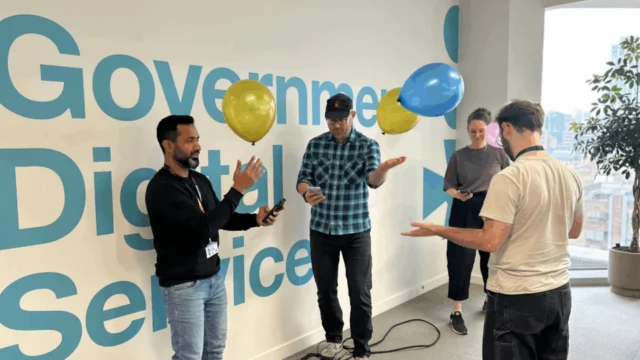


As the complexity of modern web applications grows, the reliance on JavaScript-heavy frameworks has often led to a "meaning gap" in underlying code. To address this, lead developers are advocating for a return to semantic HTML—the practice of using web elements for their intended linguistic and structural purpose rather than their visual appearance. This movement is seen as a critical step in supporting the millions of citizens who rely on assistive technologies, such as screen readers, voice control software, and keyboard-only navigation, to access essential government services.
The Strategic Importance of Semantic HTML
At the core of the discussion is the definition and application of semantic HTML. Dilwoar Hussain, Lead Frontend Developer at the MHCLG, characterizes HTML as the fundamental building blocks of the web, divided into generic elements like <div> and <span> and specific, meaningful elements like <nav>, <header>, and <button>. According to Hussain, the choice of these elements is not merely a matter of developer preference but a structural necessity. When developers use specific tags correctly, they provide a roadmap for computers and screen readers to interpret page hierarchy.
The technical implications of these choices are significant. When a developer uses a generic <div> and applies a JavaScript click event to make it behave like a button, they create a "functional mimic" that lacks the inherent properties of a real <button> element. James Gordon, Senior Frontend Developer at the DWP, notes that while such a mimic might work for a sighted user with a mouse, it is often invisible or nonsensical to a screen reader. Gordon argues that using semantic tags like <a> for links and <button> for actions provides "accessibility for free," as these elements come pre-packaged with browser-level functionality and accessibility attributes.
This perspective is echoed by Michael Cheung, Senior Front-end Developer at NHS England, who emphasizes that semantic HTML serves as a universal language. By using <main>, <footer>, and <header>, developers create a predictable environment for assistive technologies. This predictability is essential for users who navigate via the "accessibility tree"—a subset of the Document Object Model (DOM) that translates code into a format understandable by screen readers.
Chronology and the Evolution of Standards
The focus on semantic HTML is part of a broader historical shift in web standards. In the early 2000s, web design was often driven by "table-based layouts" and non-semantic tags used primarily for visual positioning. The introduction of HTML5 in 2014 brought a wealth of semantic elements designed to standardize page structures. However, the rise of "Single Page Applications" (SPAs) and complex JavaScript frameworks in the late 2010s often bypassed these standards in favor of rapid development.
By 2025, the UK government has solidified its position as a global leader in digital accessibility by mandating adherence to the Web Content Accessibility Guidelines (WCAG) 2.2. The current strategy involves moving away from "patching" accessibility at the end of a project and instead integrating it into the initial architectural phase. Holly Blues, a Front-end Developer at DWP Digital, explains that this involves a team-wide responsibility, where product owners and quality assurance testers are involved in accessibility discussions long before the first line of code is written.
Data-Driven Justification for Accessibility First
The push for better code is supported by alarming data regarding global web accessibility. The 2024 "WebAIM Million" report, an annual accessibility analysis of the top one million websites, found that 95.9% of homepages had detectable WCAG 2 failures. The most common errors included low-contrast text (71%), missing image alternative text (54.5%), and empty links (44.6%).
By prioritizing semantic HTML, government developers aim to eliminate these "low-hanging fruit" errors. David Biddle, a Frontend Developer at GDS, points out that semantic tags like <ul> and <li> for lists automatically inform a screen reader user of the number of items in a sequence. Without these tags, a user might be presented with a wall of text with no context regarding where a list begins or ends. This structural clarity is not just a convenience; for a user with cognitive disabilities or visual impairments, it is the difference between a usable service and a digital barrier.

Methodologies: Building Without "Crutches"
A recurring theme among the developers is the deliberate avoidance of over-reliance on external plugins or automated accessibility tools. While tools like "Axe DevTools" or "Lighthouse" are valuable for catching errors, the developers argue that they cannot replace manual testing and sound logic.
Dilwoar Hussain advocates for testing with keyboards and screen readers during the actual development process rather than after. This "Shift Left" approach—moving testing to the earliest possible stage of the lifecycle—reduces the cost and complexity of fixes. The use of the GOV.UK Design System is cited as a primary factor in this success. By using pre-tested components that already meet high accessibility standards, developers can focus on unique user experience challenges rather than reinventing basic interactive elements.
Michael Cheung highlights the utility of built-in browser tools. By inspecting the accessibility tree within a browser’s Developer Tools, developers can see exactly how a site is being presented to assistive technology. This manual verification ensures that the "intent" of the code matches the "experience" of the user.
Handling Dynamic Content and Complex Interactivity
One of the greatest challenges in modern frontend development is making dynamic content—such as modals, carousels, and accordions—accessible. These elements often change the state of a page without a full reload, which can disorient users who cannot see the visual changes.
For collapsible elements like accordions, Hussain utilizes aria-expanded attributes. When a user toggles a section, the code updates from aria-expanded="false" to true, prompting the screen reader to announce the change. Furthermore, the use of "progressive enhancement" ensures that if a user’s browser fails to load JavaScript, the core content remains visible. This "fail-safe" philosophy is a hallmark of the GOV.UK Accordion component, which is designed to remain functional in suboptimal network conditions.
David Biddle notes that for complex interactive elements like modals, the modern <dialog> element in HTML5 provides a native solution that handles "focus trapping"—ensuring that a keyboard user doesn’t accidentally navigate to content "behind" the modal. Before the widespread adoption of the <dialog> tag, developers had to write complex JavaScript to manage this behavior, often leading to bugs that locked users out of the interface.
Broader Impact and Social Implications
The implications of this technical focus extend far beyond the developer community. In the UK, approximately 16 million people—roughly 24% of the population—report having a disability. As government services like Universal Credit, tax filing, and NHS bookings move almost exclusively online, the "accessibility gap" becomes a "social equity gap."
The strategy discussed by these frontend developers suggests that accessibility is moving from a "compliance checkbox" to a core engineering principle. By utilizing semantic HTML and design systems, the public sector is creating a blueprint for the private sector to follow. The cost-benefit analysis of this approach is also clear: services that are built accessibly from the start require fewer expensive retrofits and experience higher completion rates among all users, not just those with disabilities.
Furthermore, semantic code improves Search Engine Optimization (SEO) and performance. Search engine crawlers use the same semantic signals as screen readers to index content. A site that is easy for a screen reader to "understand" is inherently easier for a search engine to rank, demonstrating that accessibility and business goals are often perfectly aligned.
As the "Unlocking Accessibility" series continues, the consensus among government tech leaders is clear: the future of the web is not found in more complex plugins, but in a more sophisticated and disciplined application of the web’s original, semantic foundations. By returning to the "meaning" of code, developers are ensuring that the digital state remains open to every citizen, regardless of how they choose to navigate it.